Summary
Take full control of your Atlassian Cloud organization. User Account Manager gives administrators a unified dashboard to manage users, optimize license costs, and maintain compliance — all from a single interface within Jira.
The Problem
Managing users across Jira, Confluence, and JSM is time-consuming. Administrators juggle multiple admin consoles, struggle to identify inactive users consuming expensive licenses, and lack centralized audit trails for compliance.
The Solution
User Account Manager brings everything into one place. Built natively on Atlassian Forge, it provides a powerful yet intuitive interface to manage your entire organization directly from Jira.
Key Features
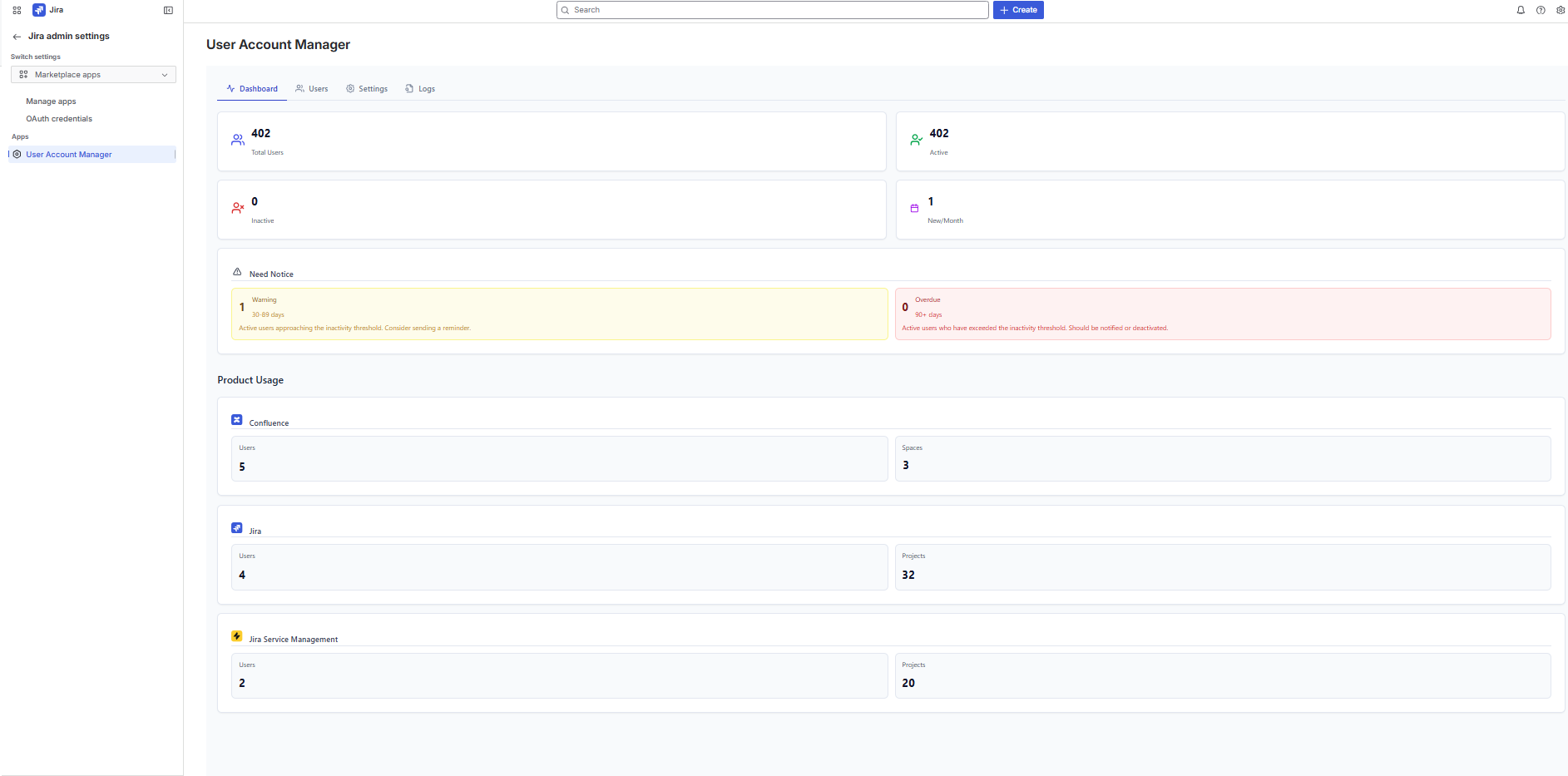
Dashboard — Instant Visibility
Get a real-time overview of your organization at a glance:
- Total users, active users, and license utilization
- Inactive user detection with configurable warning and overdue thresholds
- App-by-app breakdown (Jira, Confluence, JSM)
- License seat usage with clear visual indicators
User Management — Complete Control
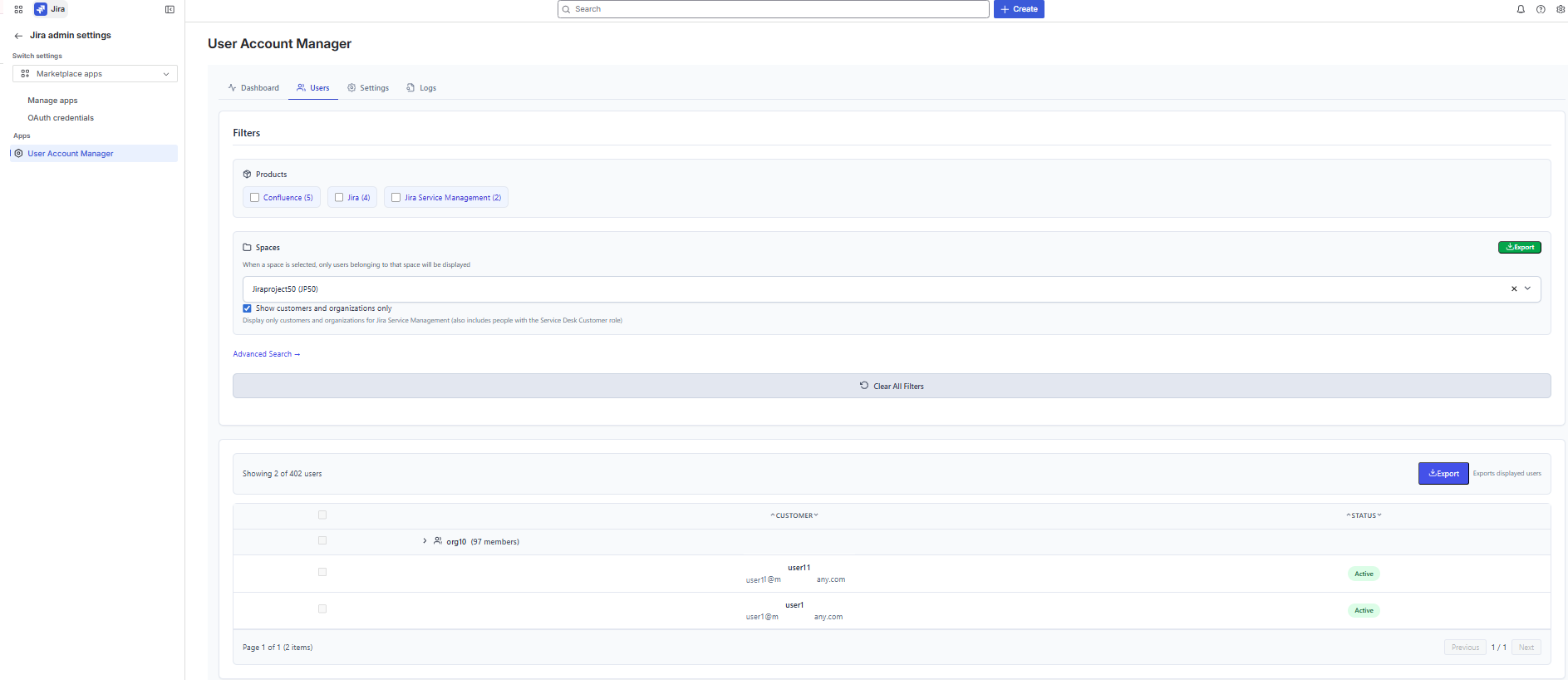
View and manage all users across your Atlassian apps from a single table:
- Organisation users — directory and managed accounts
- Project users — users assigned to Jira projects and Confluence spaces
- JSM Customers — service desk customers and organization members
- Search, filter, and sort across all user types
- View user details: email, status, apps, groups, last activity date
- Clickable usernames to quickly navigate to Atlassian admin profiles
Bulk Actions — Save Time
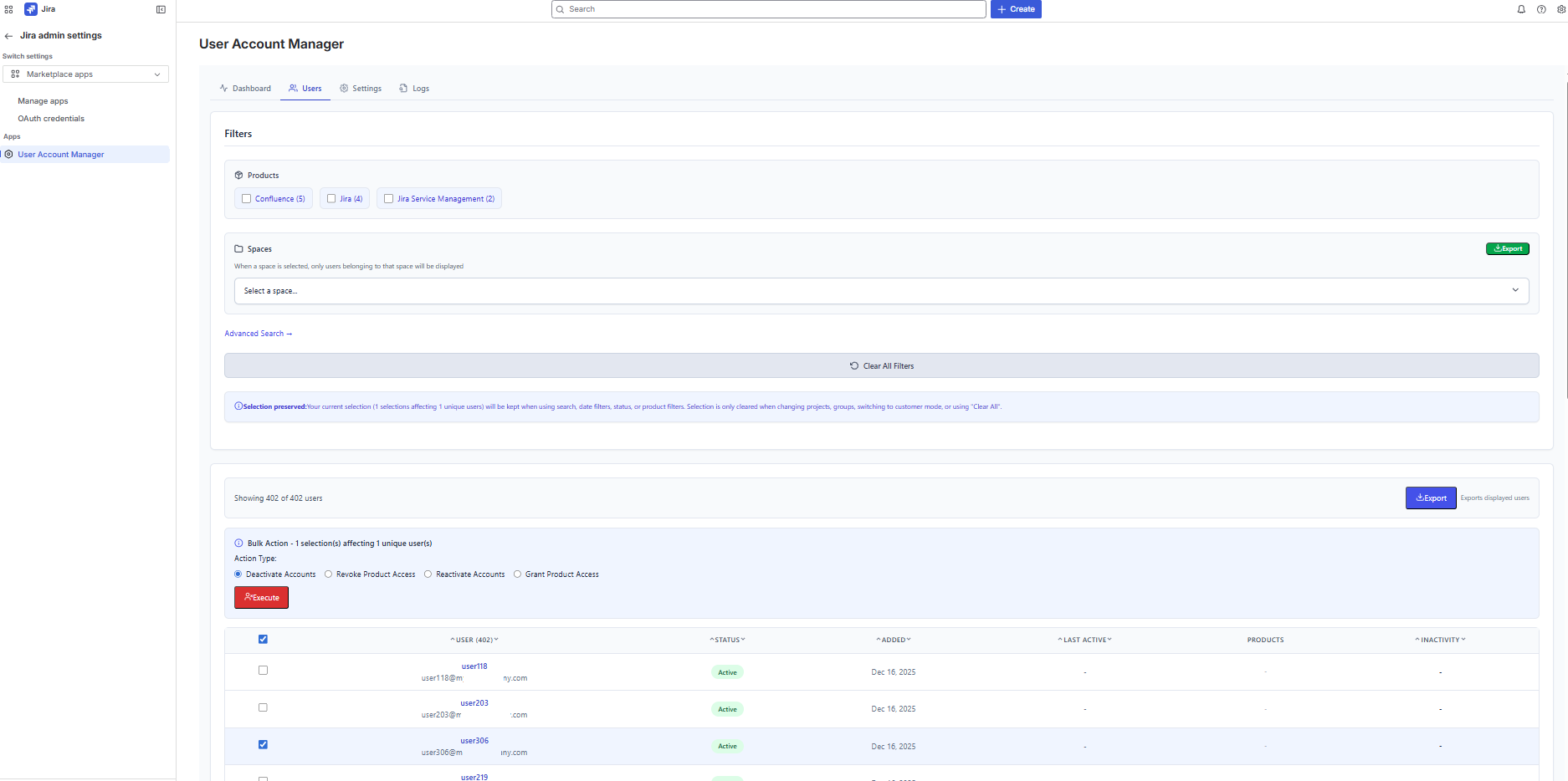
Perform administrative actions efficiently:
- Deactivate or reactivate user accounts
- Revoke or assign app access
- Protected email whitelist to prevent accidental modifications on critical accounts
- Confirmation dialogs to prevent unintended changes
Inactivity Tracking — Optimize Costs
Stop paying for licenses nobody uses:
- Configurable inactivity thresholds (warning and overdue)
- Identify users who haven't been active across any app
- Filter and export inactive users for review
- Take action directly — deactivate accounts or revoke app access
Audit Logs — Stay Compliant
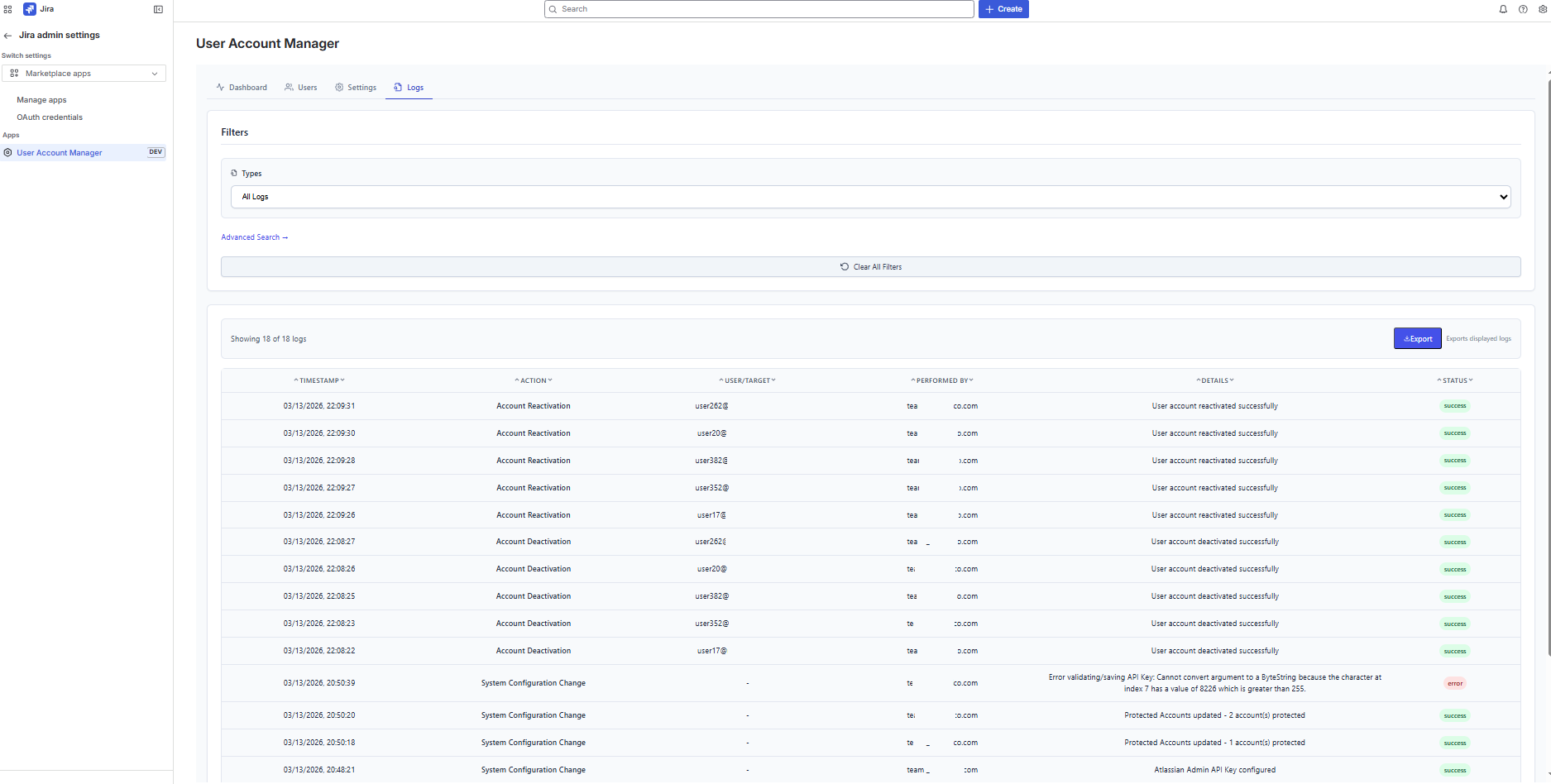
Every administrative action is logged for accountability:
- Complete history of account changes and app access modifications
- Timestamps, acting administrator, affected user, and action details
- Filterable and searchable log interface
- Export audit logs as CSV for compliance reporting
CSV Exports — Report with Ease
Export your data whenever you need it:
- User lists with full details (name, email, status, apps, last activity)
- Customer lists with organization membership
- Audit logs with complete action history
- Generated client-side — your data never passes through external servers
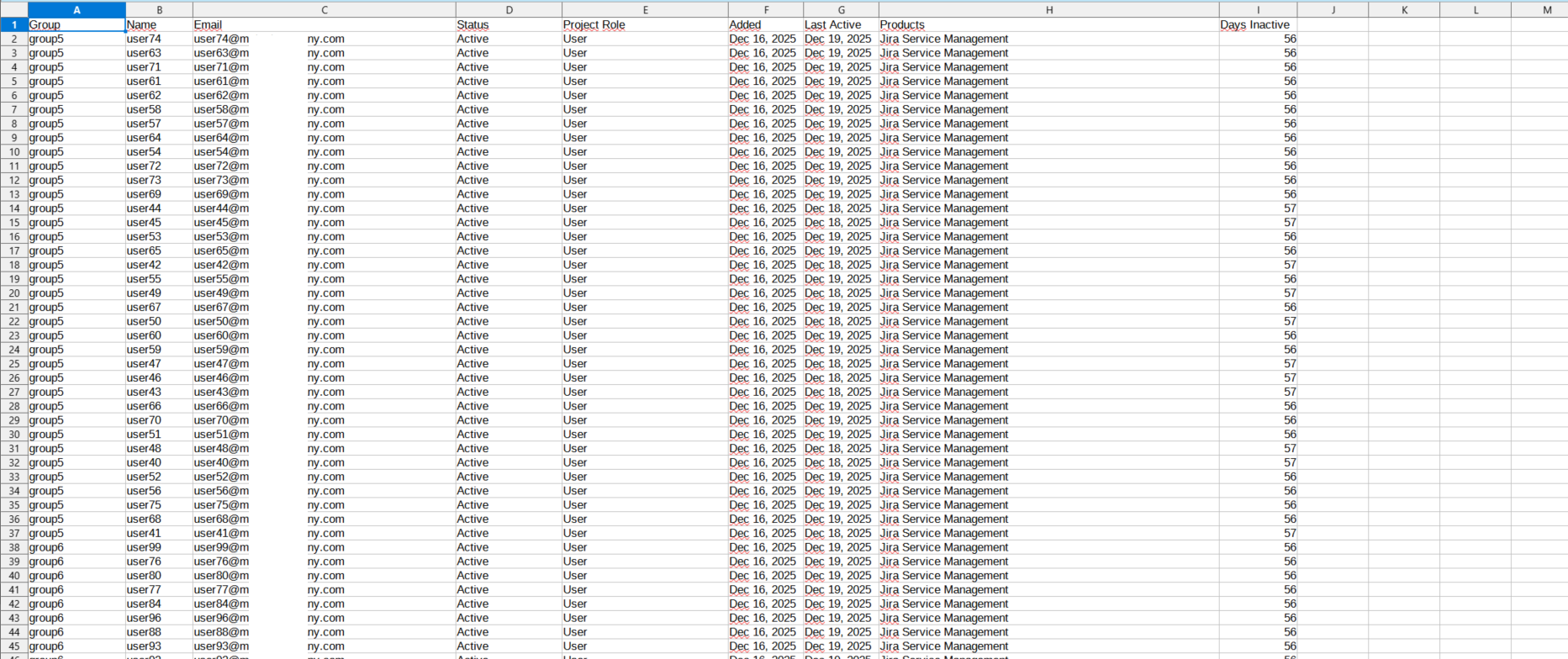
Settings — Simple Configuration
Get started in minutes:
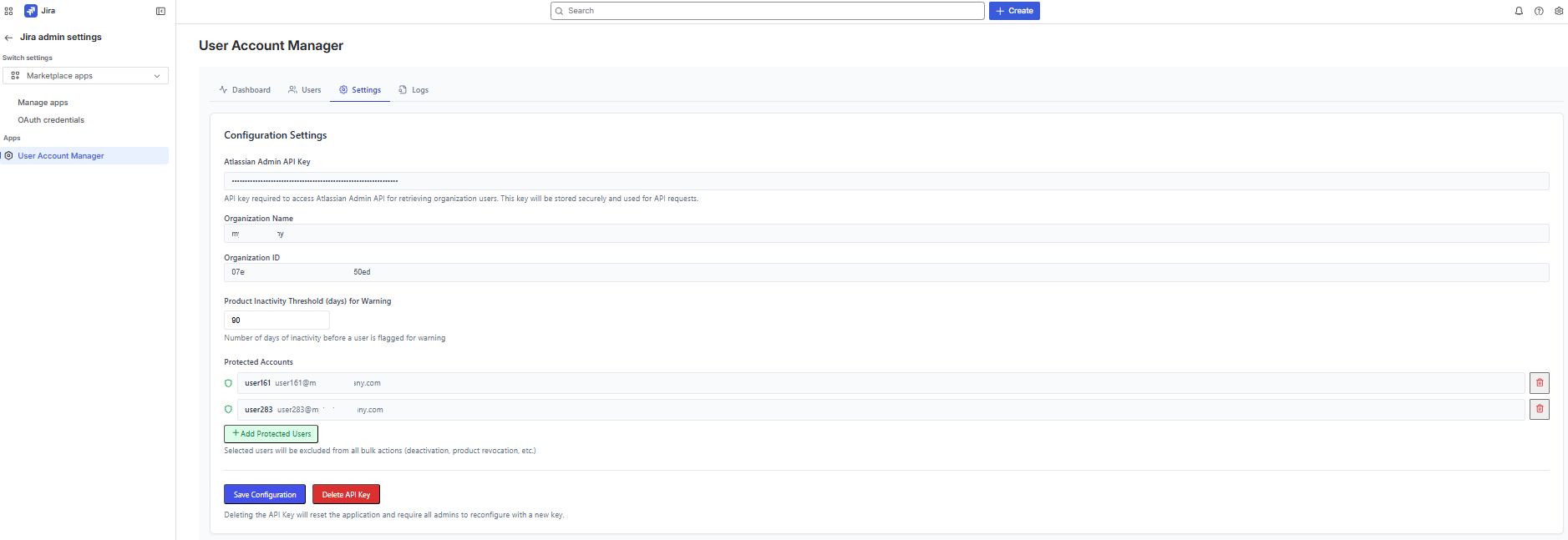
- Connect your Atlassian Admin API key
- Configure inactivity warning and overdue thresholds
- Manage protected email whitelist
- Link to Atlassian documentation for API key creation
Multi-language Support
Available in 26 languages: English, French, German, Spanish, Italian, Portuguese, Dutch, Swedish, Danish, Norwegian, Finnish, Polish, Czech, Slovak, Hungarian, Romanian, Estonian, Turkish, Russian, Ukrainian, Thai, Vietnamese, Japanese, Korean, Chinese (Simplified), Chinese (Traditional).
Security & Privacy
- Forge-native: Runs entirely on Atlassian's secure cloud infrastructure
- No external servers: Zero data transmission outside Atlassian's ecosystem
- Encrypted storage: All persistent data encrypted at rest in Forge Storage
- Admin-only access: Restricted to Jira organisation administrators at the platform level
- API key protection: Never exposed to the frontend, never logged
- GDPR compliant: Minimal data storage, full export and deletion capabilities
How It Works
- Install the app from the Atlassian Marketplace
- Configure your Atlassian Admin API key in the Settings tab
- Set your inactivity thresholds (default: 90 days warning)
- Monitor your dashboard for inactive users and license usage
- Act — deactivate accounts, revoke access, and export reports
Who Is It For?
- IT Administrators managing Atlassian Cloud organizations
- License Managers looking to optimize software costs
- Compliance Officers needing audit trails of user management actions
- Organizations of all sizes wanting better visibility into their Atlassian user base
Categories
Compatible Apps
Support
Need help? Our team is ready to assist you.
Open a Support Ticket